


Rainbow Obby: the checkpoint course that made obbies work outside Roblox
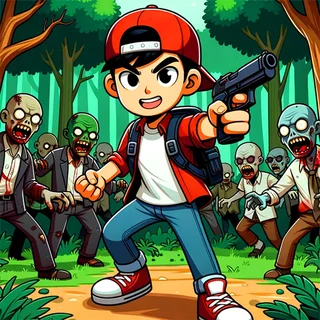
An obby is the Roblox word for an obstacle course: a string of floating platforms, moving blocks and lava floors that you cross with nothing but a jump button and patience. Rainbow Obby takes that formula and puts it in a browser tab. There is no Roblox client to install and no account to make; the PlayCanvas build loads on this page, and you are standing at the first flag a few seconds later. The blocky avatar, the checkpoint flags and the coins scattered along the route are all there, and the course is coloured stage by stage through the rainbow so you always know how far you have come.
What keeps people on it is the mode menu. Classic is the straight course. Tower stacks the course upward, Troll adds fake platforms and disappearing floors, Cat has you dodge an oversized cat, PvP and Knockout turn the run into a fight, and Bike, Car, Plane, Cart and Ball hand you a vehicle that changes how every gap is judged. Each mode is a shared room of up to twelve players, and the number under each card on the menu is the live count, so a busy mode is never a lonely one.
Controls & mechanics
| Action | Control | Purpose |
|---|---|---|
| Move | WASD or arrow keys | Walk and steer; hold a direction in the air to adjust a jump |
| Jump | Space | One press per jump; there is no double jump unless you buy the Jump Coil |
| Camera | Mouse | Drag or move to turn the view; line the camera up behind you before a long jump |
| Shop / Menu | M / ESC | M opens the coin shop (jetpack, speed boots, totem), ESC opens the pause menu |
Getting further in Rainbow Obby
- Always touch the flag: A checkpoint only saves when your avatar actually touches the flag pole, not when you land on its platform. Walk into it before you move on, or a fall sends you back one whole stage.
- Turn the camera, not the avatar: Most missed jumps are camera jumps: you were facing the gap at an angle. Pull the mouse round until the camera sits directly behind you, then run and jump in a straight line.
- Spend coins on the Jump Coil first: The shop's jetpack is flashy but the Jump Coil quietly fixes the gaps that keep killing you. Coins persist between runs in this browser, so a few laps of the early stages pay for it.
- Read the Troll course before you jump: In Troll mode some platforms are painted to look solid and are not. Watch another player go first, or hop in place at the edge of a suspect block before committing.
Key features
- More than ten modes: Classic, Tower, Troll, Cat, PvP, Knockout, IQ Test, Ladder, River and the vehicle courses — Bike, Car, Plane, Cart and Ball — all from one menu.
- Live rooms, no account: Every mode drops you into a room of up to twelve players on the developer's own server. A name is generated for you; nothing to register.
- Checkpoints and a shop: Flags save progress within a run, coins carry across runs, and the shop sells the jetpack, speed boots, jump coil and totem that make a hard stage manageable.
Game info
- Title: Rainbow Obby
- Developer: emolingo games
- Category: Obby and Parkour
- Platform: Web browser (HTML5)
- Engine: PlayCanvas 3D build by emolingo games, served from this site; not affiliated with Roblox Corporation
Pro tip: The timer in the top corner runs from your first step, and the course does not care about coins. If you are chasing a fast time, ignore every coin that is off the straight line — they cost more seconds than they are worth — and collect on a second, slower lap instead.
Frequently asked questions
Is this Roblox?
No. Roblox needs its own client and account and cannot run inside another website. Rainbow Obby is a separate browser game by emolingo games that follows the obby style Roblox made popular; this site is not affiliated with Roblox Corporation.
Do I need to install anything?
No. The game is a PlayCanvas HTML5 build served from this domain. It loads in the page on a laptop, a Chromebook or a phone, with no plugin, download or sign-up.
Is Rainbow Obby multiplayer?
Yes. Each mode is a shared room of up to twelve players on the developer's server, and the numbers on the menu cards are the live player counts. If the server is unreachable the mode keeps trying to join, so give it a few seconds.
Which mode should I start with?
Classic. It is the plain course with the most checkpoints and teaches the jump distance you need everywhere else. Tower and Troll are the next step up; the vehicle modes are their own skill.
Does my progress save?
Coins and shop purchases are saved in your browser's storage, so they are there the next time you open the game on the same device. Position on the course is per run and starts again from the first flag.